Rates & Availability
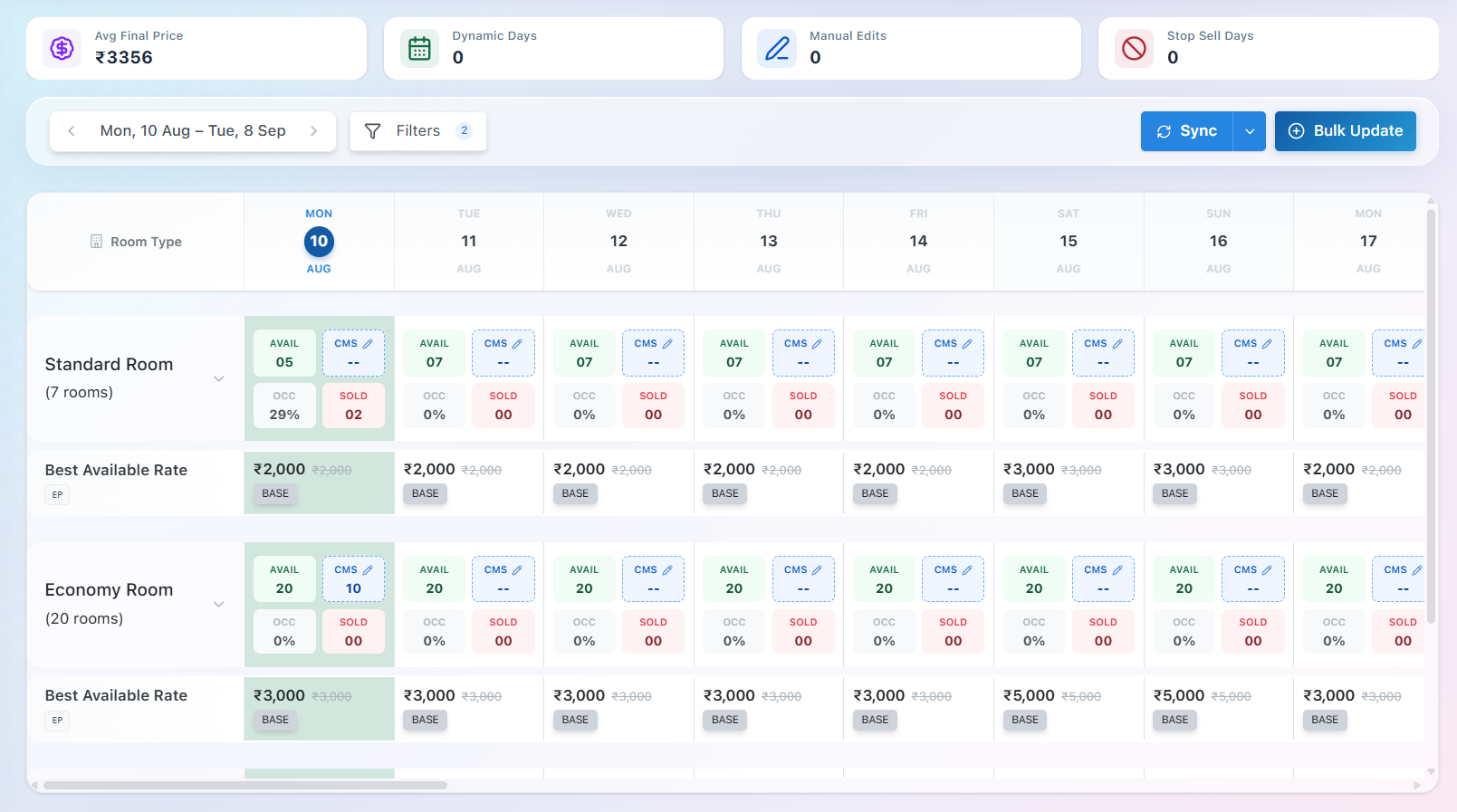
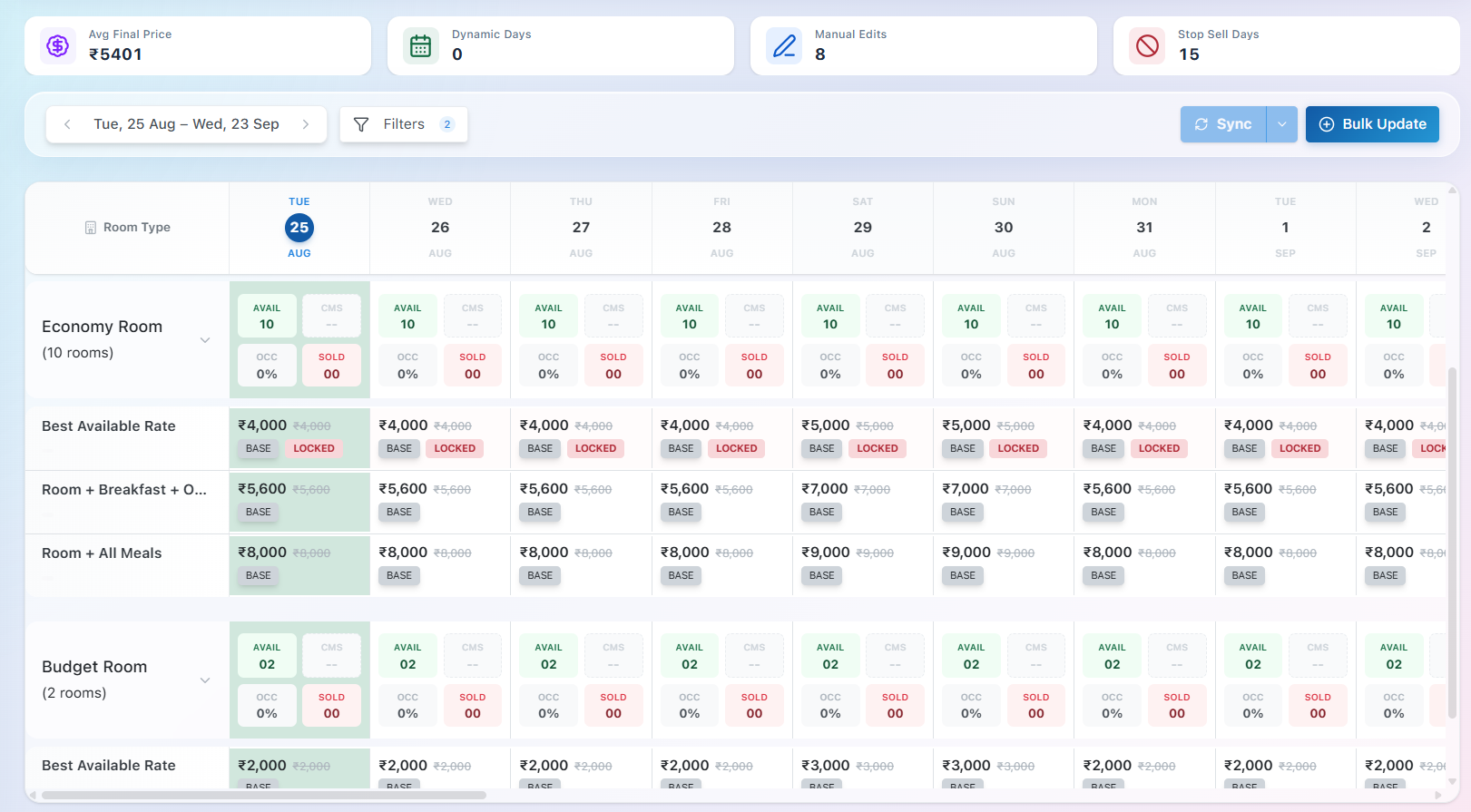
The Rates & Availability module provides a calendar-based view of your property's room inventory, availability, and pricing. It allows you to monitor and manage room rates and availability for different room types across multiple dates from a single screen.
Key Features
- Date Range: Select a date range to view and manage rates and availability for specific days.
- Room Types: View each room type along with the number of rooms configured under it.
- Availability: Shows the number of rooms available for each date.
- Occupancy: Displays the current occupancy percentage for each room type and date.
- Sold Rooms: Shows the number of rooms already sold/booked for each date.
- CMS: Displays the inventory synced with connected channel management systems, where applicable.
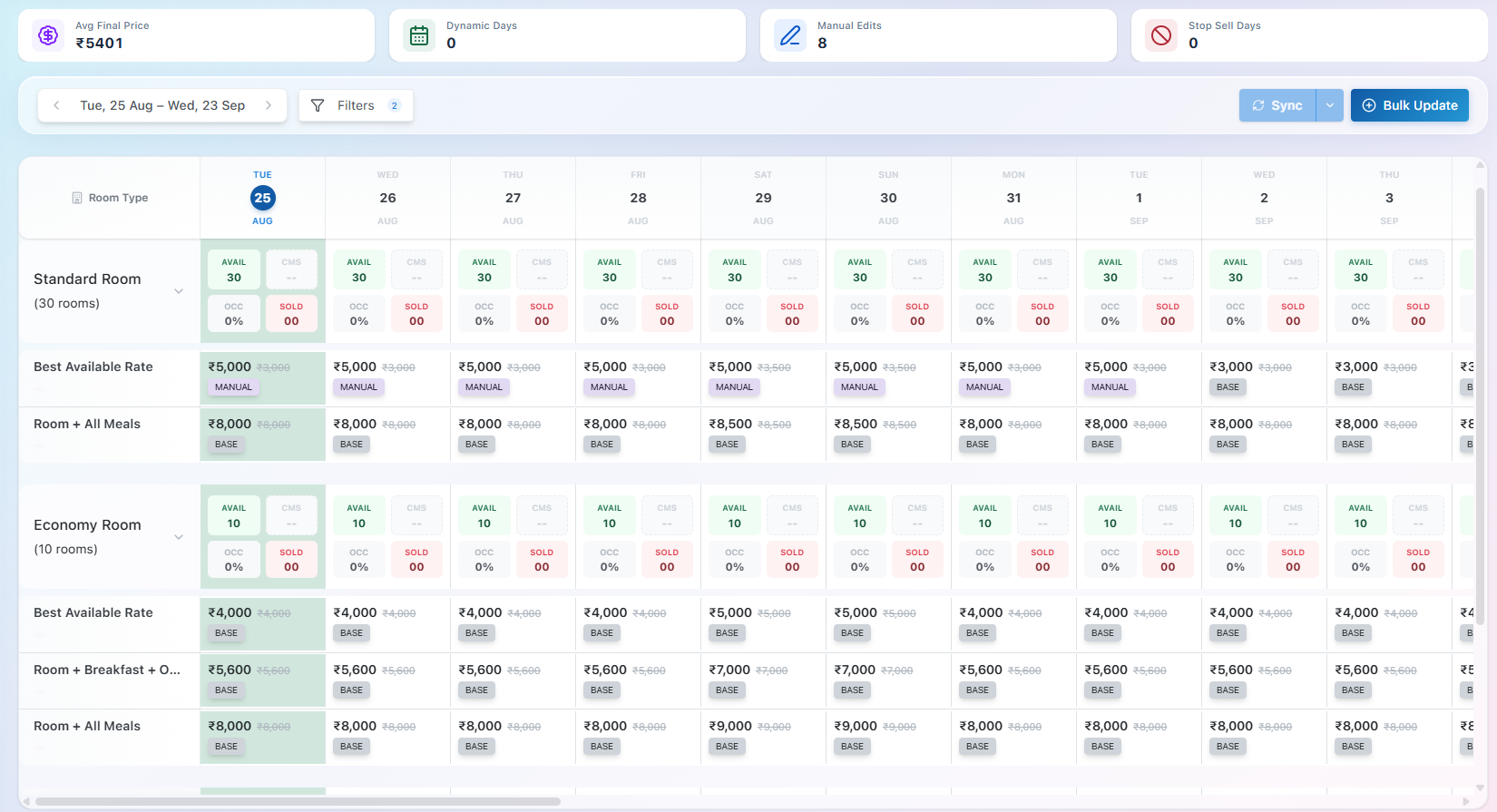
- Rate Plans: View the applicable rate for each rate plan, such as Best Available Rate, along with the applied pricing source (e.g., Base, Dynamic, AI, Manual).
- Manual Price Updates: Rates can be manually adjusted for specific dates when required.
- Filters: Use filters to narrow down the displayed room types, rate plans, or other relevant data.
- Sync:The Sync option pushes the latest room inventory and availability from BluEarn PMS to the connected Channel Manager (CMS)
- Bulk Update: Update rates or availability for multiple dates or room types at once, reducing manual effort.
Bulk Update
The Bulk Update feature allows you to update pricing and restrictions for multiple dates, rate plans, or room types at once, reducing the effort of making individual date-wise changes.
Pricing
- AI Pricing – Applies AI-recommended pricing for the selected dates.
- Rule Based Pricing – Applies pricing based on configured rule-based pricing conditions.
- Base Pricing – Applies the standard base price.
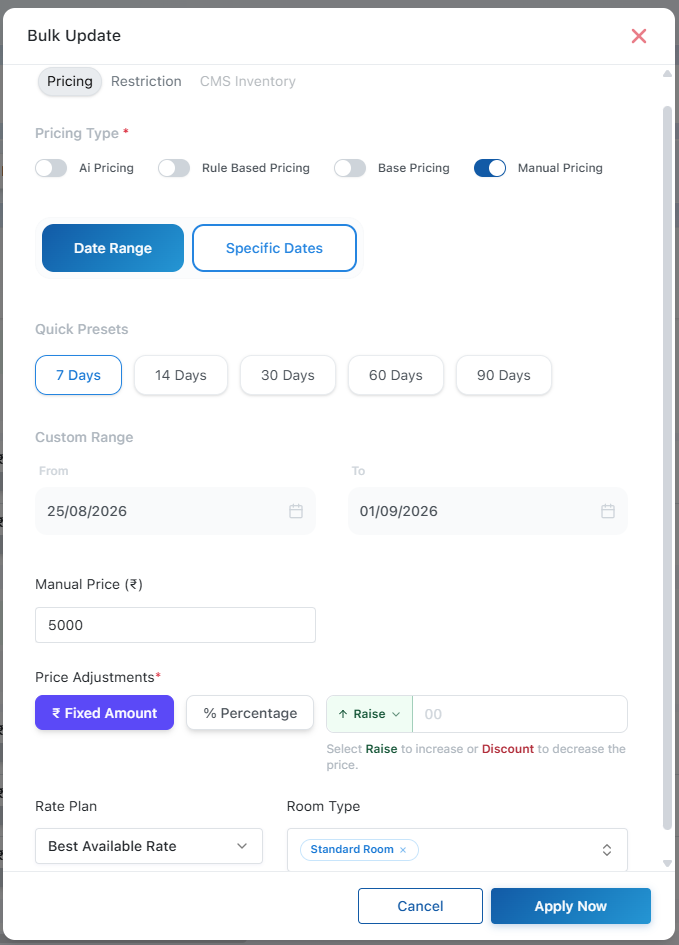
- Manual Pricing – Allows you to apply a manually defined price adjustment.
Select Dates
- Date Range – Select a continuous date range using quick presets such as 7, 14, 30, 60, or 90 days, or define a custom date range.
- Specific Dates – Select individual dates on which the update should be applied. Price Adjustments
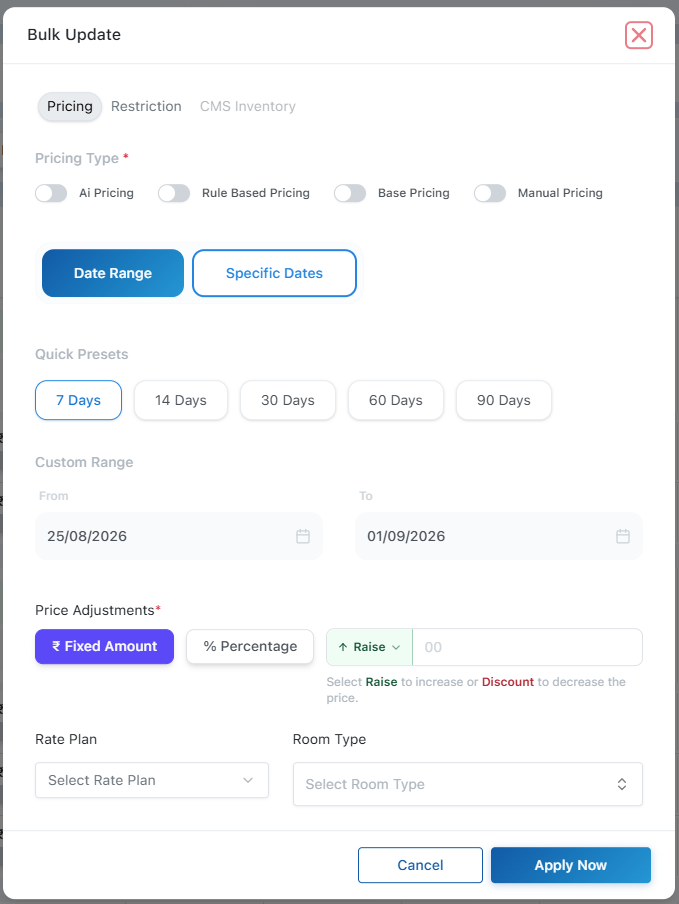
- Fixed Amount – Increase or decrease the price by a fixed amount.
- Percentage – Increase or decrease the price by a percentage.
- Raise – Increases the existing price.
- Discount – Decreases the existing price.
Example: If the current price is ₹8,400, applying a ₹500 Raise changes it to ₹8,900, while a 10% Discount changes it to ₹7,560.
Rate Plan & Room Type
Select the Rate Plan and Room Type to define where the bulk update should be applied. This allows you to update pricing for specific inventory instead of applying changes across the entire property.
Bulk Restriction
The Bulk Restriction option allows you to apply booking restrictions to multiple dates, rate plans, and room types at once, reducing the need for individual date-wise updates.
- Stop Sell – Prevents new bookings for the selected dates.
- Closed to Arrival (CTA) – Prevents guests from checking in on the selected dates.
- Closed to Departure (CTD) – Prevents guests from checking out on the selected dates.
- Minimum Stay – Defines the minimum number of nights required for bookings.
Date Selection
- Date Range – Select a continuous date range using quick presets such as 7, 14, 30, 60, or 90 days, or define a custom range.
- Specific Dates – Apply restrictions only to selected dates.
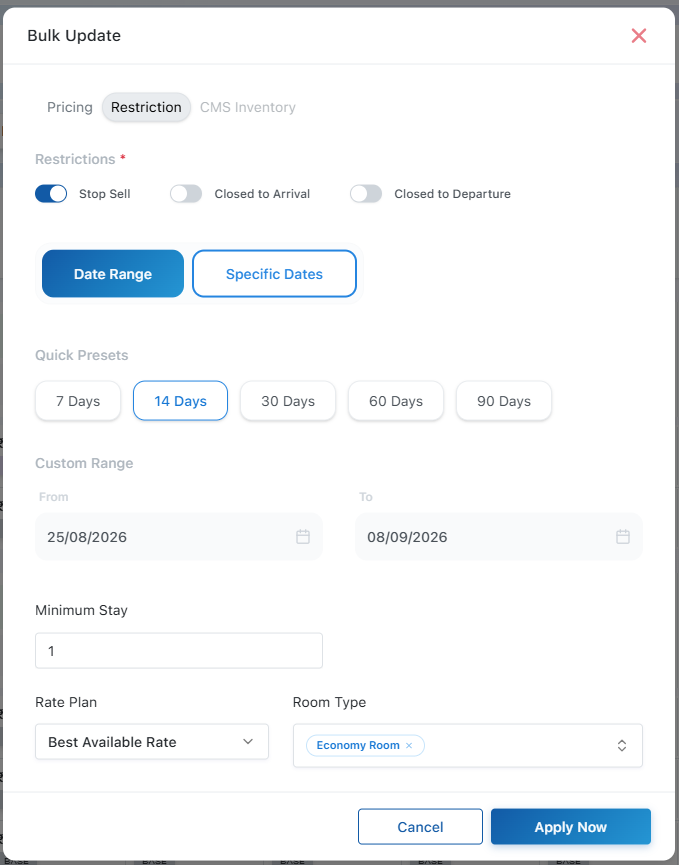
Select the Rate Plan and Room Type(s) to which the restrictions should apply.
After selecting the required restrictions, dates, and inventory, click Apply Now to update the restrictions in bulk.
CMS Connection & Inventory Sync
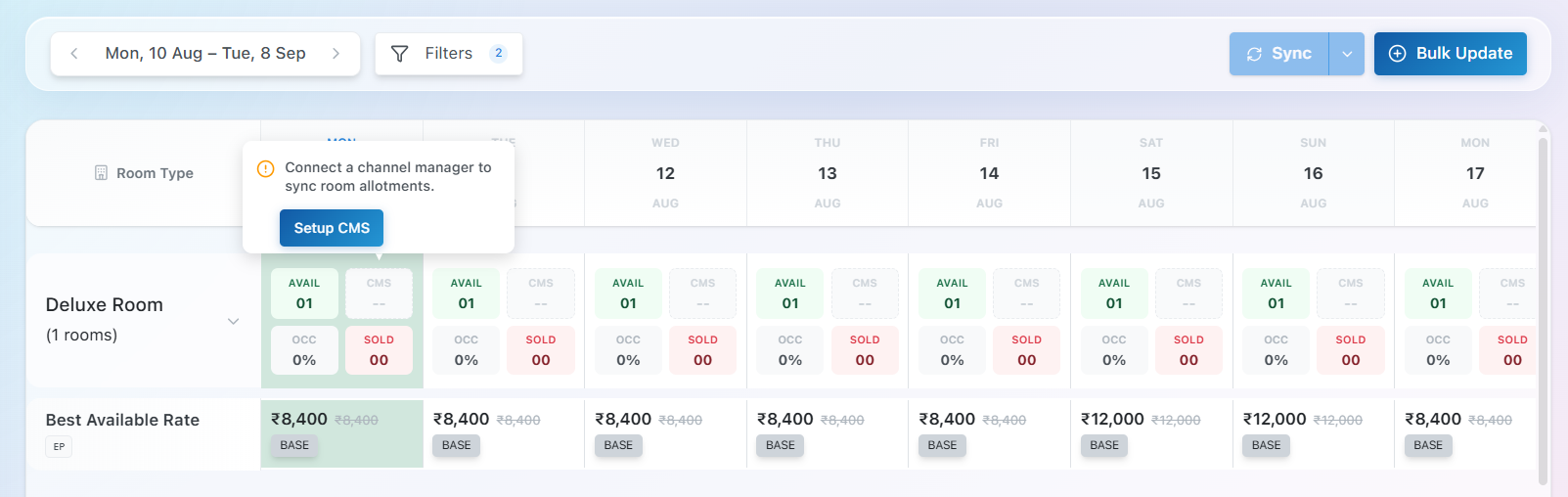
When a Channel Manager (CMS) is not connected, the CMS inventory fields remain inactive and the Sync option is disabled. A message prompts you to Setup a Channel Manager to sync room allotments.
Click Setup CMS to configure the Channel Manager connection. Once connected, CMS inventory can be synchronized with the connected booking channels through the Sync option.
Bulk CMS Inventory
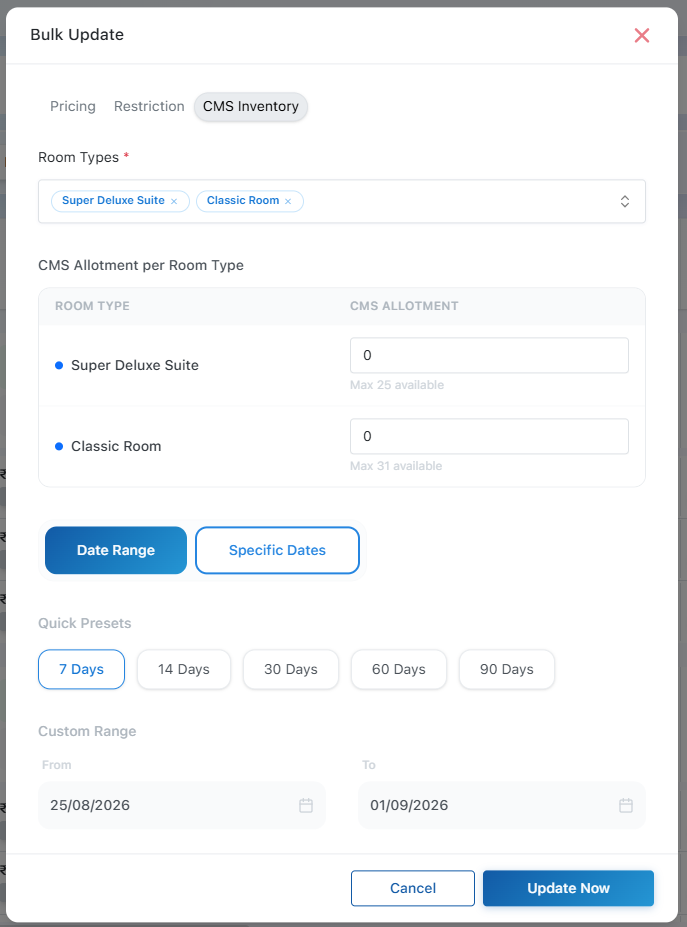
The CMS Inventory option allows you to update room allotments for a connected Channel Manager in bulk.
- Room Types – Select one or more room types to update.
- CMS Allotment – Define the number of rooms to make available for each selected room type. The maximum allotment is based on the available inventory.
- Date Range – Apply the allotment across a continuous date range using quick presets or a custom date range.
- Specific Dates – Apply the allotment only to selected dates.
After selecting the room types, allotments, and required dates, click Update Now to push the updated CMS inventory for the selected room types and dates.
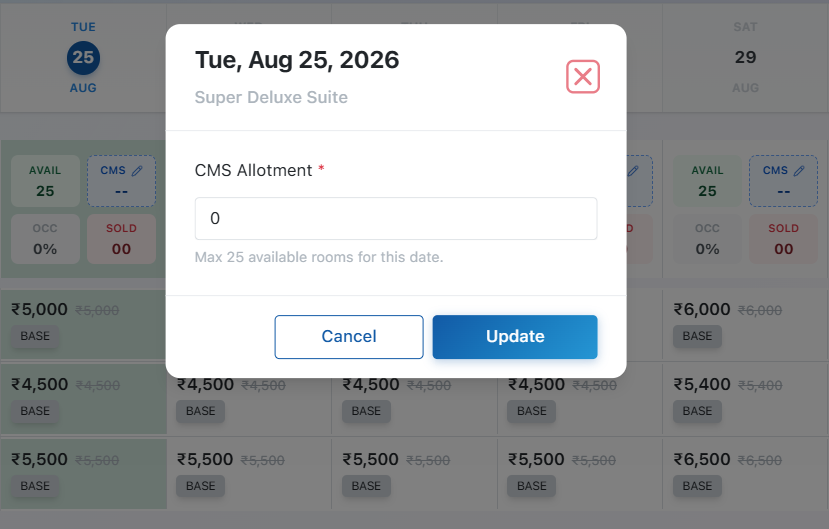
Specific Date CMS Allotment
The Specific Date CMS Allotment option allows you to update the CMS room allotment for a particular room type and date.
Enter the number of rooms to be allotted for the selected date. The allotment cannot exceed the available rooms for that date.
Click Update to save the CMS allotment for the selected date.
Update Pricing For Specific Date
The Update Pricing For Specific Date page allows you to manage the price and restrictions for a specific room type, rate plan, and date.
Pricing Options
- Base – Uses the standard base price configured for the rate plan.
- AI – Uses the AI-recommended price based on pricing analysis.
- Rule Based Pricing – Applies a price calculated from configured rule-based pricing conditions.
- Manual – Allows you to manually override the price for the selected date.
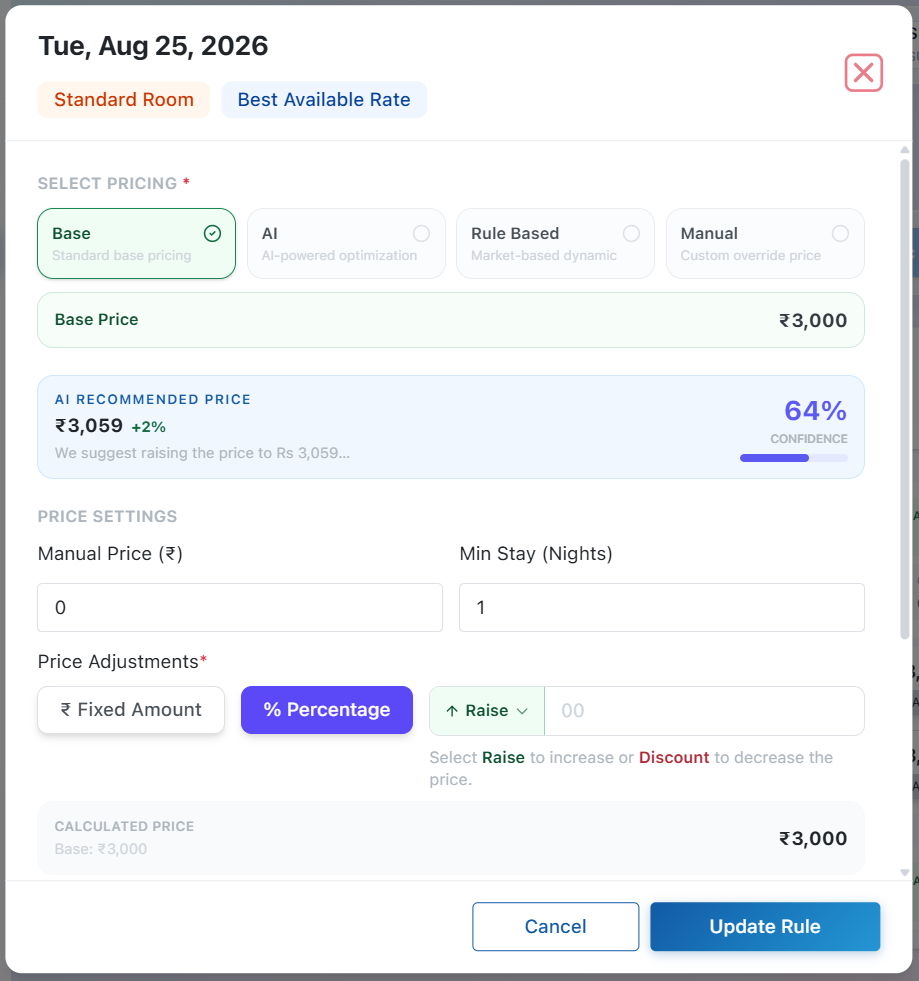
Price Settings
- Manual Price – Enter a specific price when using manual pricing.
- Min Stay (Nights) – Define the minimum number of nights required for a booking.
- Price Adjustment – Adjust the base price using either:
- Fixed Amount – Add or subtract a fixed amount.
- Percentage – Increase or decrease the price by a percentage.
- Raise – Increases the price.
- Discount – Decreases the price.
Example: If the base price is ₹8,400 and you apply 10% Raise, the price becomes ₹9,240. A 10% Discount makes it ₹7,560.
Restrictions
- Stop Sell – Prevents new bookings for the selected date.
- Closed to Arrival (CTA) – Prevents guests from checking in on the selected date.
- Closed to Departure (CTD) – Prevents guests from checking out on the selected date.
- Min Stay – Requires guests to stay for the configured minimum number of nights.
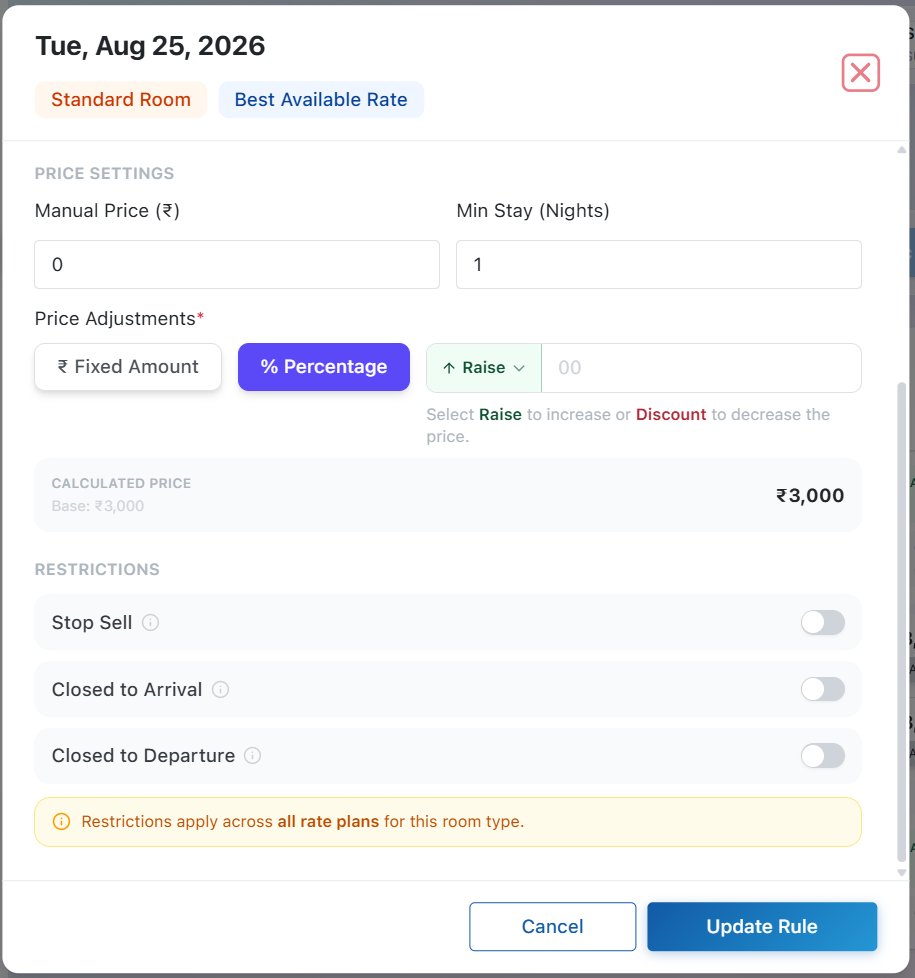
Note: Restrictions and minimum-stay settings apply to selected rate plans for the selected date.